Legacy System Modernization: A Step-by-Step Guide for Growing Companies
June 20, 2025·7 min read·Software
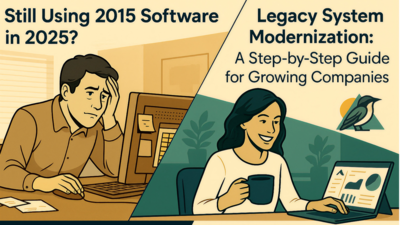
That accounting software you've been using since 2015? The inventory system that requires three different spreadsheets to function? The customer database that only works on one computer? If you're nodding along, your growing business is probably running on legacy systems that are holding you back. For small and mid-sized businesses, legacy system modernization isn't just about having the latest technology, it's about survival. When your systems can't scale with your growth, every new customer, employee, or product line becomes a headache instead of an opportunity.
That accounting software you've been using since 2015? The inventory system that requires three different spreadsheets to function? The customer database that only works on one computer? If you're nodding along, your growing business is probably running on legacy systems that are holding you back.
For small and mid-sized businesses, legacy system modernization isn't just about having the latest technology, it's about survival. When your systems can't scale with your growth, every new customer, employee, or product line becomes a headache instead of an opportunity.
What Are Legacy Systems (And Why They're Costing You Money)
Legacy systems are older software applications, databases, or technologies that are still in use but no longer supported, updated, or optimized for modern business needs. For most growing companies, these systems started as solutions but have become bottlenecks.
Common legacy system red flags:
Manual data entry between different software programs
Inability to integrate with newer tools your team wants to use
Frequent crashes or performance issues
Security vulnerabilities that can't be patched
Difficulty accessing data remotely (especially problematic post-2020)
Limited reporting capabilities that slow decision-making
The hidden costs add up quickly. A manufacturing company in Texas recently discovered they were spending 15 hours per week manually transferring data between their inventory system and accounting software. That time could have been spent on growth activities.
Step 1: Audit Your Current Systems
Before you can modernize, you need to understand what you're working with. This isn't about creating a perfect technical diagram. It's about identifying where you need to go and what your biggest pain points are.
Start with these questions:
Which systems do your employees complain about most?
Where do you spend the most time on manual workarounds?
What data do you need but can't easily access?
Which systems prevent you from serving customers efficiently?
Document your current workflow, noting every time information has to be manually moved between systems. Many business owners are surprised to discover how much inefficiency they've accepted as "just how we do things."
Pro tip: Ask your newest employees about the systems. They often spot inefficiencies that long-time staff have learned to work around.
Step 2: Prioritize Based on Business Impact
Not all legacy systems need to be replaced immediately. Focus on the ones that are either costing you money or preventing growth.
High-priority systems typically:
Handle customer-facing processes (sales, support, billing)
Manage critical business data (inventory, financials, customer information)
Create bottlenecks that slow down daily operations
Present security risks for sensitive data
Medium-priority systems:
Work but lack modern features that would improve efficiency
Require workarounds but don't stop business operations
Have limited integration capabilities
Low-priority systems:
Function adequately for their current purpose
Don't interact with other critical systems
Aren't holding back growth or efficiency
A local restaurant chain prioritized their point-of-sale system over their employee scheduling software because POS issues directly impacted customer experience and revenue, while scheduling problems, though annoying, didn't lose customers.
Step 3: Choose Your Modernization Approach
There's no one-size-fits-all approach to legacy modernization. The right strategy depends on your budget, timeline, and business needs.
Replace Entirely (Rip and Replace) Best for systems that are completely outdated or when you need dramatically different functionality. This approach offers the most benefits but requires the most investment and planning.
Example: A growing law firm replaced their DOS-based case management system with a modern cloud solution, gaining mobile access, automated billing, and integration with their email system.
Integrate and Extend Keep your existing system but add modern tools around it. This works when your core system functions well but lacks modern features like mobile access or API integration.
Example: A retail company kept their reliable inventory system but added a modern e-commerce platform that syncs with it, allowing online sales without replacing their entire backend.
Gradual Migration Replace components of your system over time. This spreads costs and reduces risk but requires careful planning to ensure components work together.
Example: A medical practice first modernized their patient scheduling system, then their billing system, then their records management, ensuring each new component integrated with the others.
Step 4: Plan for Data Migration
Data migration is often the most complex part of modernization, but it's also the most critical. Your business history, customer relationships, and operational knowledge live in that data.
Data migration best practices:
Start with a complete backup of all existing data
Clean your data before migration (remove duplicates, fix formatting issues)
Map how data fields in your old system correspond to your new system
Plan for data validation to ensure accuracy after migration
Test migration with a subset of data before full migration
Common data migration challenges:
Different data formats between old and new systems
Missing or inconsistent data in legacy systems
Custom fields or configurations that don't translate directly
Historical data that's important for reporting but difficult to migrate
Many businesses discover data quality issues during migration planning. While this can be frustrating, it's better to address these issues during modernization than to carry them forward.
Step 5: Manage the Transition
The technical aspects of modernization are often easier than managing the human side of change. Your team needs to learn new systems while maintaining daily operations.
Transition strategies that work:
Run old and new systems parallel for a period to ensure everything works
Train super users first, then have them help train others
Start with less critical processes to build confidence
Provide multiple training methods (hands-on, documentation, video tutorials)
Establish clear support channels for questions and issues
Timeline considerations:
Plan for 20-30% longer than estimated for full adoption
Schedule intensive training during slower business periods
Build in buffer time for unexpected issues
Consider phased rollouts rather than switching everything at once
A distribution company found success by implementing their new inventory system in one warehouse first, working out issues, then rolling it out to other locations with lessons learned.
Step 6: Measure Success and Optimize
Modernization success isn't just about getting new systems runningit's about achieving the business outcomes you planned for.
Key metrics to track:
Time savings on routine tasks
Reduction in manual data entry
Improved data accuracy and accessibility
Faster customer service response times
Increased capacity to handle growth
Employee satisfaction with new tools
Plan for ongoing optimization:
Schedule regular reviews of system performance
Gather feedback from users about pain points or desired features
Stay current with software updates and new features
Plan for future integrations as your business continues to grow
Common Pitfalls to Avoid
Underestimating the time investment: Modernization projects typically take 25-50% longer than initially planned. Build buffer time into your timeline.
Trying to modernize everything at once: Focus on your highest-impact systems first. Trying to replace everything simultaneously often leads to project failure.
Ignoring user training: The best system in the world is worthless if your team doesn't know how to use it effectively.
Choosing systems that don't integrate: Ensure your new systems can talk to each other. Integration capabilities should be a primary selection criterion.
Not planning for data quality issues: Assume your legacy data has problems and plan time to clean it up.
When to Bring in Professional Help
While some aspects of modernization can be handled internally, many growing businesses benefit from professional guidance, especially for:
Complex data migrations
Custom software development needs
Integration between multiple systems
Security and compliance requirements
Project management for large-scale changes
Look for development partners who understand small and mid-sized business challenges and have experience with companies similar to yours in size and industry.
The Bottom Line
Legacy system modernization isn't just about technology. It's about positioning your business for growth. Yes, it requires investment and careful planning, but the cost of doing nothing is often higher.
Every day you delay modernization, you're accepting inefficiency, limiting growth potential, and potentially putting your business at competitive disadvantage. The companies that thrive in the coming years will be those that use technology as a growth enabler rather than a necessary evil.
Start with your biggest pain point, plan carefully, and take it one step at a time. Your future self (and your employees) will thank you.